How to Reset a BIOS Password
On this page
Consumer laptops
App location: Passwords tab → Master Password Gen
For supported consumer laptops, open the Passwords tab and click Master Password Gen. See Master Password Gen for details.
If the generator does not support your laptop, try clearing the NVRAM or flashing stock firmware.
Corporate laptops
App location: Passwords tab → the button for your brand
Open the Passwords tab, then click the button for the brand of laptop you want to unlock.
Corporate unlocks are part of the USB Edition. See Licensing.
HP EliteBooks and similar business laptops/PCs
- To remove the password: dump the EC firmware and drag it into the HP EliteBooks tool.
- To remove a SWAT, Absolute Persistence or Cognizant lock: dump the System BIOS and drag it into the same tool.
BiosCreator detects which file you loaded and selects the right operation automatically. After unlocking, use the DMI Tools if you need to fix DMI info.
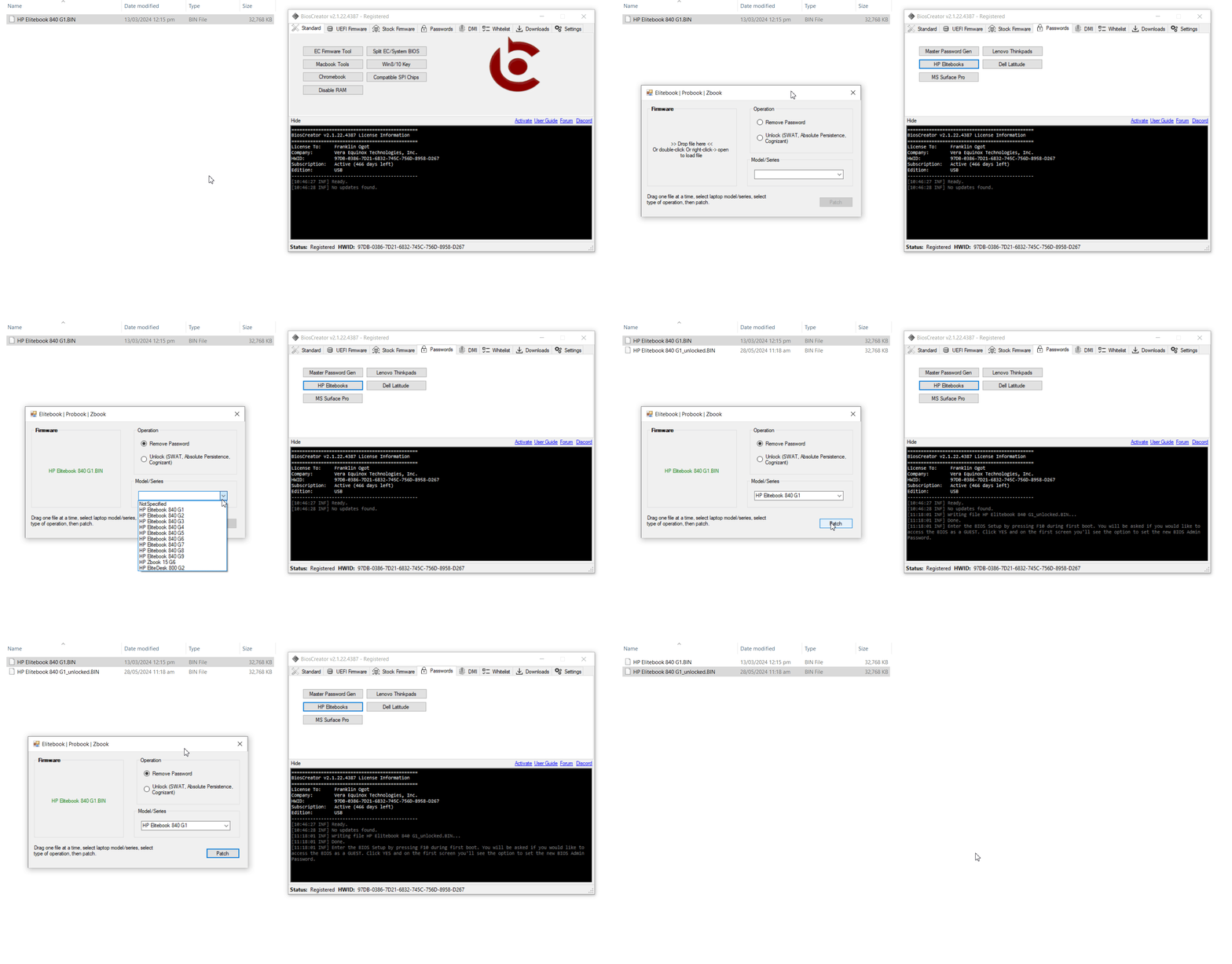
Example: HP EliteBook 840 G1 - password removal
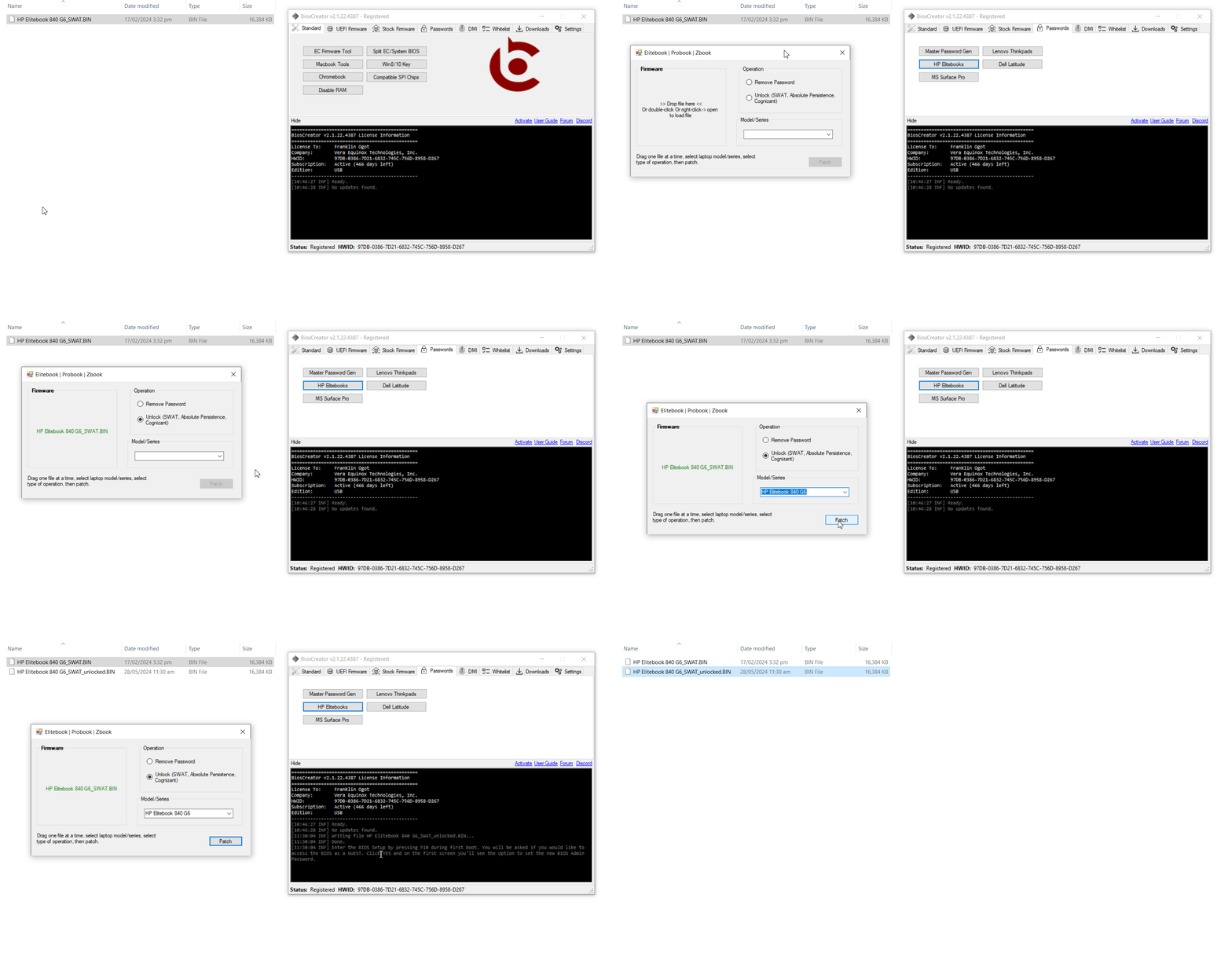
Example: HP EliteBook 840 G6 - SWAT unlock
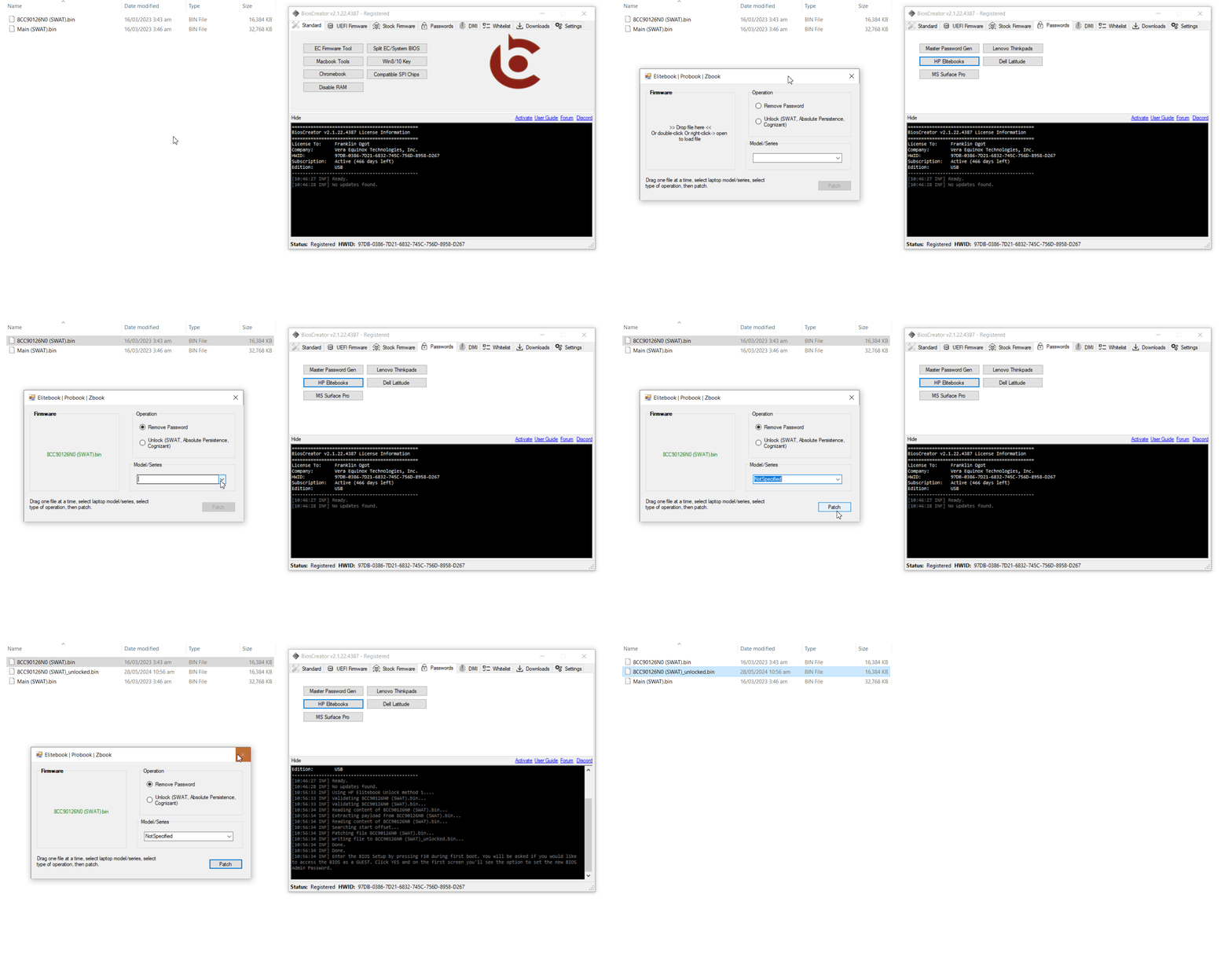
Example: HP EliteDesk - password removal
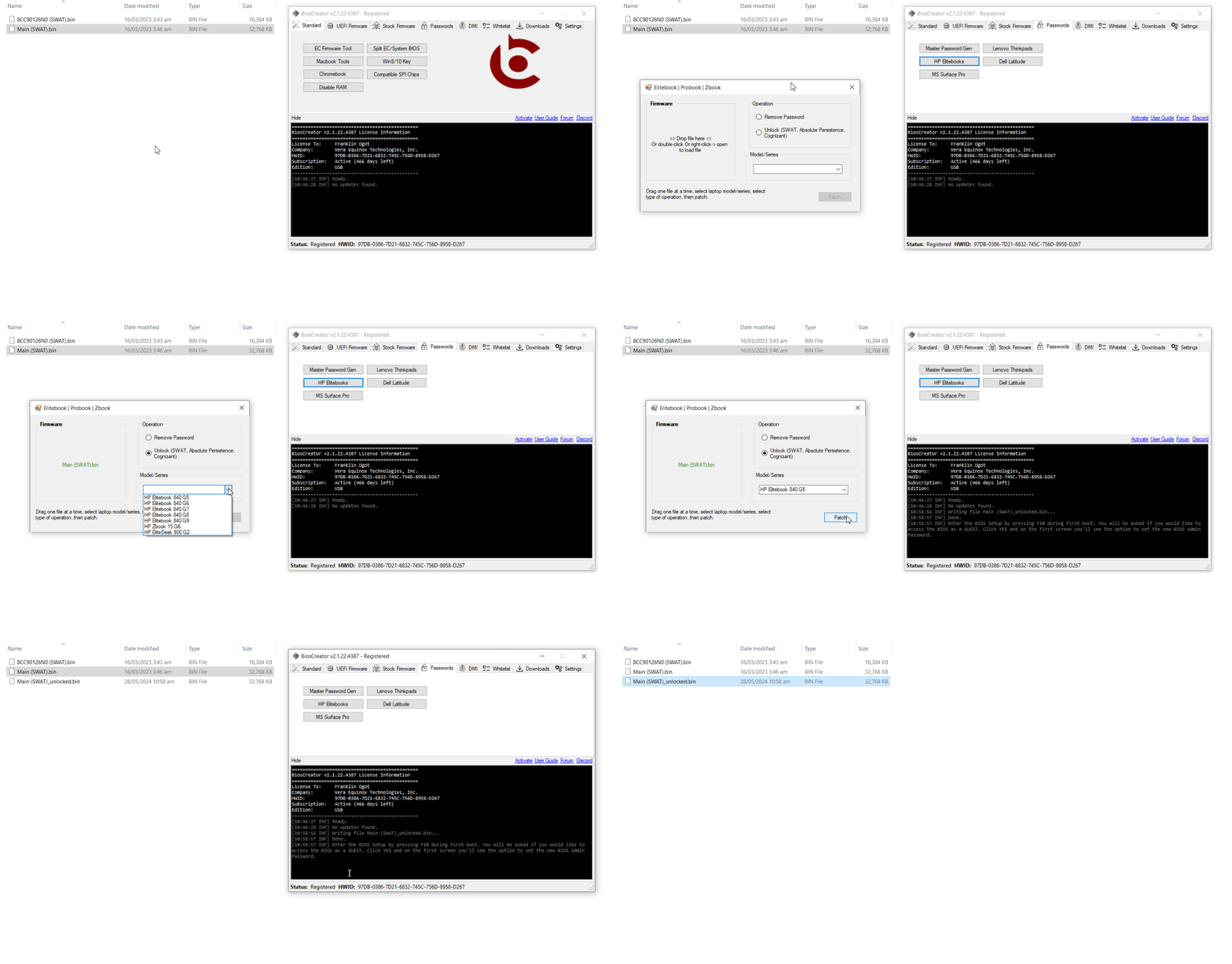
Example: HP EliteDesk - SWAT unlock
Dell Latitude and similar business laptops/PCs
Use the Dell Supervisor Password tool. It supports business laptops and PCs up to the latest generation.
Lenovo ThinkPads (up to 8th-gen CPUs)
Back up the System BIOS, then use the Lenovo ThinkPads tool.
Microsoft Surface
Use the MS Surface Pro tool. It supports Surface Pro up to 7th gen.