Registration & Activation
On this page
Step 1: Register
- Get your hardware ID.
- Send your details to us through Facebook Messenger at fb.me/leakymosfet, in this format:
Order Number:   LM1234
Name:           JUAN DELA CRUZ
Company Name:   LAPTOPS AND GADGETS REPAIR SHOP
Mobile Number:  09081234567
Email Address:  [email protected]
Hardware ID:    1037-3D82-350D-4B58-51FE-35F1-9456-B18F
Registration of BiosCreator v2.0 is no longer supported.
Step 2: Activate
You will receive either a license file or an activation key by email. Use the method that matches what you received.
Option A: License file
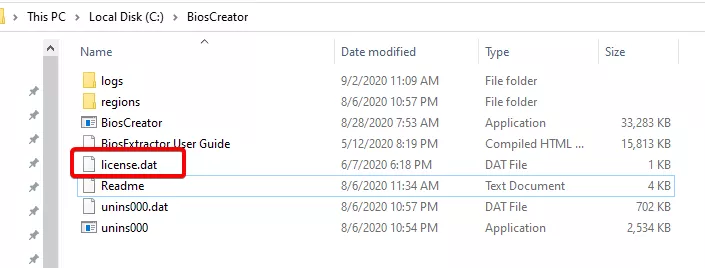
- Copy the
license.datfile from the email into theC:\BiosCreatorfolder. - Restart BiosCreator.
The email also includes detailed instructions for your reference.
Option B: Activation key
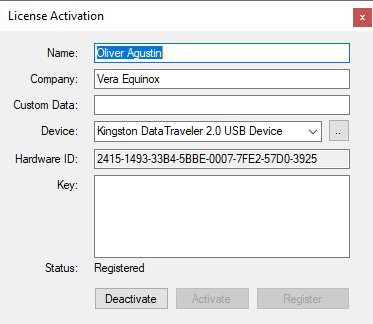
- Open BiosCreator and click the blue activate link.
- Enter the activation key from your email.
- Restart BiosCreator.
Activation keys will be disabled in a future version of BiosCreator.
Step 3: Confirm
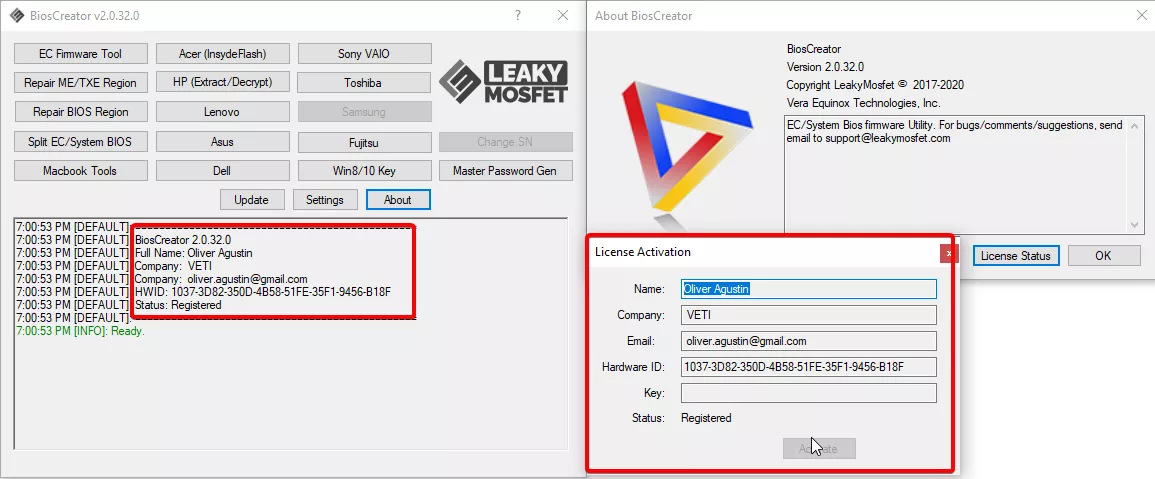
When BiosCreator starts, the log window shows your name, company, hardware ID and the status Registered. You can also check it at any time from Settings → About.
If the status is not Registered, check that the license file is in the right folder, or contact support.